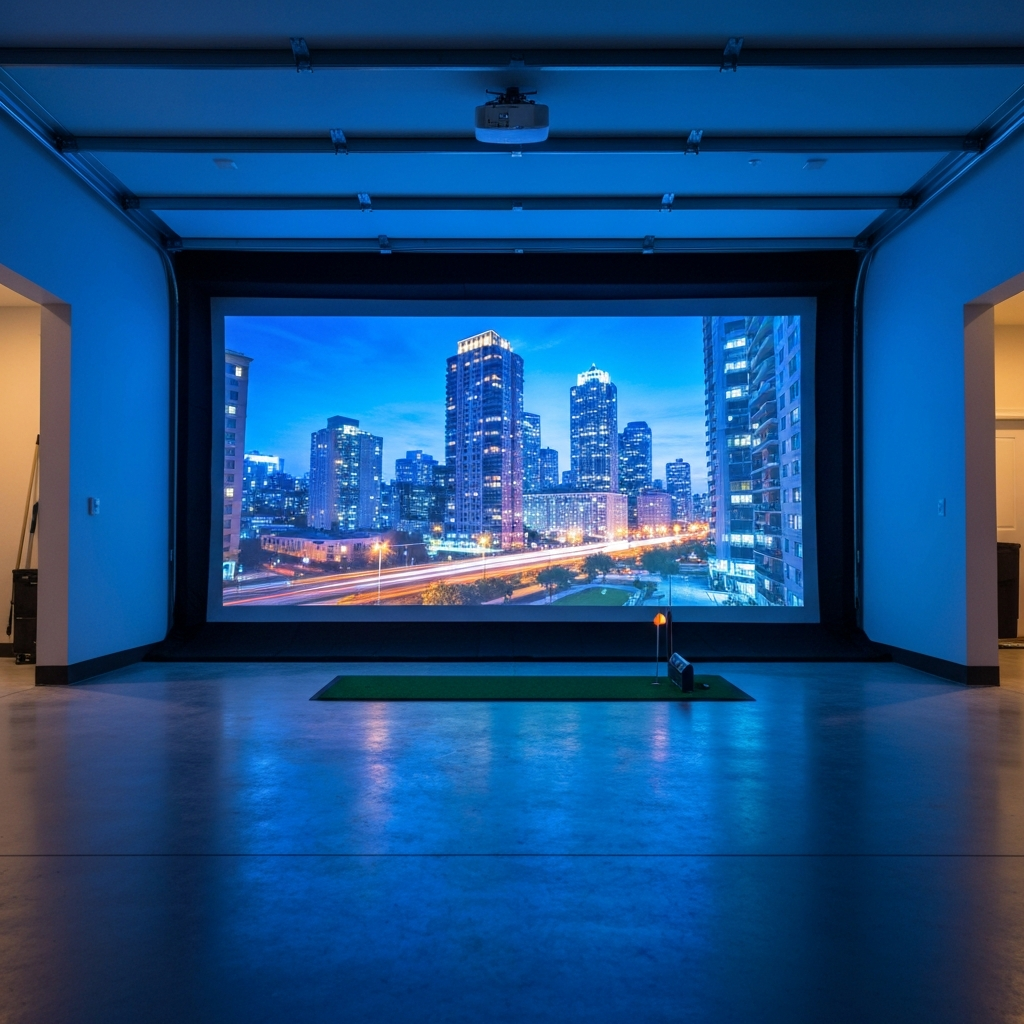
Alright, let’s cut to the chase. You’re staring at your garage, dreaming of hitting balls year-round, and trying to figure out if GSPro or Awesome Golf is the right software for your setup. I’ve been there. In fact, I’m still there, deep in the rabbit hole of launch monitors, impact screens, and enough cables to open a small data center. I’m Mack, a 12-handicap who built his own simulator bay, made all the mistakes, and spent too much money so you don’t have to.
When it comes to simulator software, the internet is full of armchair pros and marketing fluff. I’m here to give you the straight goods, because the choice between GSPro and Awesome Golf isn't just about features; it’s about your time, your budget, and what kind of golfer you actually are.
Most folks assume more expensive means better. And yeah, sometimes it does. But "better" is subjective in the sim world. Is it better for a scratch golfer grinding on his swing, or better for a dad trying to entertain his kids on a rainy Saturday? That's the real question.
Let's get into it.
The Quick & Dirty Comparison: GSPro vs. Awesome Golf
Here’s a snapshot to help you get your bearings before we dive deep. This is based on my experience and what I've seen in countless sim setups.
| Feature | GSPro | Awesome Golf |
|---|---|---|
| Platform | PC (Windows only) | iOS (iPhone, iPad), Apple TV, Android (limited) |
| Graphics Quality | Hyper-realistic (if your PC can handle it) | Good, more arcade-like |
| Course Selection | Thousands (community-created) | ~100 (developer-created, paid packs) |
| Ease of Setup | Complex (PC build, drivers, configuration) | Simple (app download, connect LM) |
| Launch Monitor Comp. | Wide (Uneekor, Foresight, FlightScope, Skytrak, Mevo+, R10) | Wide (Garmin R10, Skytrak, Mevo+, TrackMan, Uneekor, etc.) |
| Price (Software) | ~$250/year (subscription) | ~$35/year (subscription) + ~$10-20/course pack |
| Key Features | Deep data, online leagues, practice modes, customization | Fun games, multiplayer, simple range, easy to use |
| Ideal User | Serious simmers, tech-savvy, PC gamers, wants realism | Casual golfers, families, mobile users, budget-conscious |
GSPro: The Golfer's Playground (If You've Got The Rig)
GSPro is, without a doubt, the closest you can get to real golf without actually stepping outside. I've spent hundreds of hours on it, meticulously crafting my PC build just to squeeze every last frame out of its incredible graphics.
What GSPro Nails:
- Unmatched Realism and Graphics: If you've got a decent gaming PC (and we'll talk about decent in a minute), GSPro looks stunning. The courses are meticulously crafted by a dedicated community, often LiDAR-scanned, meaning every undulation, every bunker, every tree feels real. I've played courses on GSPro that I've played in real life, and the detail is uncanny. The ball physics are top-tier, too. You really feel like your shot shape translates directly.
- Course Selection is Virtually Endless: This is where GSPro truly shines. There are thousands of courses. Thousands. From famous PGA Tour tracks to local gems, the community is constantly pumping out new content. And it’s not just quantity; the quality is often incredible. You'll never get bored.
- Deep Data and Customization: For the data junkies like me, GSPro offers an incredible amount of information. You can tweak everything from green speeds to wind conditions. It integrates seamlessly with a wide range of launch monitors, giving you all the numbers you could ever want for practice and analysis.
- Active Community and Online Play: There are leagues, tournaments, and a super active Discord server. If you want to compete against other simmers, GSPro is your platform.
Mack's Real-World Experience with GSPro: My first setup was a bit of a Frankenstein, an old gaming PC struggling to keep up. My initial mistake was underestimating the PC requirements. The minimum specs GSPro lists (GTX 1070, 16GB RAM) are truly minimum. To get those buttery-smooth 60+ FPS on a 1080p projector, you're going to want something more like an RTX 3060 or better, and 32GB of RAM. I upgraded to an RTX 3070 and it made all the difference.
I run a Uneekor EYE XO, and the integration is flawless. My 10.5ft wide by 9ft high screen in my 12ft wide by 20ft deep garage bay feels like a real golf hole when I'm playing Pebble Beach on GSPro. The immersion is just... chef's kiss.
Who Should NOT Buy GSPro:
- You don't have a dedicated gaming PC (or budget for one): This isn't optional. GSPro requires a Windows PC with solid specs. If you're planning to run it on an old laptop, forget about it. You'll be staring at a slideshow, not a golf course. A decent PC for GSPro will run you at least $800-$1500, easily.
- You're not tech-savvy (or patient): Setting up GSPro isn't like downloading an app. You need to understand drivers, monitor settings, resolution scaling, and how to manage community content. It's not rocket science, but it takes a willingness to tinker.
- You primarily want quick, casual fun or games for kids: While it has practice modes, GSPro's strength is its realism. If you just want to hit a few balls or play a fun arcade game with the family, the complexity and cost might be overkill.
- You're on a tight budget for recurring costs: The annual subscription for GSPro is about $250. This is on top of your launch monitor subscription (if applicable), your PC, projector, screen, mat, etc. It adds up.
Awesome Golf: The Fun Factor for Everyone
Awesome Golf is the complete opposite end of the spectrum in terms of complexity, but it’s an absolute blast. If you've got a Garmin R10, Mevo+, or Skytrak and an iPad, this is probably where you started, or where you should consider starting.
What Awesome Golf Nails:
- Unbeatable Ease of Use and Accessibility: Download the app, connect your launch monitor, and you're good to go. No PC builds, no driver headaches, no complex settings. It just works. This is its biggest selling point, especially for mobile users. I've heard countless stories of R10 users loving it for this reason.
- Great for Families and Casual Play: Awesome Golf excels with its fun games. "Closest to the Pin," "Target Practice," "Break the Glass," even a simple putting game. My kids absolutely love it. It's perfect for a rainy day, a quick practice session, or entertaining non-golfers.
- Cross-Platform (Mobile-Focused): If you're an iPad or iPhone user, this is your best bet for a full-featured golf sim experience. It also runs on Apple TV, which is fantastic for projecting onto a TV or screen without a dedicated PC.
- Excellent Value for Money: For a fraction of GSPro's cost, you get a very capable simulator experience. The annual subscription is much lower, and while courses are extra, they’re reasonably priced.
Mack's Real-World Experience with Awesome Golf: I actually started with Awesome Golf on my iPad, paired with a Mevo+ before I upgraded to the Uneekor. For quick range sessions and when my nephews came over, it was fantastic. I'd set up my Mevo+ in my backyard, project onto a net, and we'd play "Long Drive" or just hit balls. The graphics aren't GSPro quality, but they're perfectly serviceable and colourful. Think more Mario Golf, less PGA Tour 2K.
My big revelation was how truly mobile it was. I could take my Mevo+ and iPad to a friend's house, connect to their TV via Apple TV, and have a sim going in minutes. You simply can't do that with GSPro and its PC requirement.
Who Should NOT Buy Awesome Golf:
- You demand hyper-realistic graphics and physics: If you're used to console golf games or GSPro, Awesome Golf might feel a bit cartoony or simplified. While the physics are good, they're not on the same level of granular detail as GSPro.
- You want an endless supply of real-world courses: Awesome Golf has a decent selection of courses, but it's limited to what their developers create. You'll find a handful of famous tracks, but not the thousands of community-scanned courses GSPro offers. You also have to buy course packs separately, which adds to the cost.
- You're a data nerd who needs every single metric: While it provides standard ball data, Awesome Golf isn't designed for the deep dive into club path, face angle, or dynamic loft that serious swing analysis often requires. It's more about "hit ball, see where it goes."
- You have a high-end launch monitor and want to maximize its potential: If you've shelled out for a Uneekor, Foresight, or TrackMan, using Awesome Golf might feel like driving a Ferrari to the grocery store. It'll work, but you're not utilizing the full power and precision of your device.
The True Cost: Beyond The Software
Let's talk brass tacks. The software is just one piece of the puzzle. Mack's Garage Sim wasn't built for a couple hundred bucks.
Common Components & Rough Costs (My Experience):
- Launch Monitor: This is your biggest variable.
- Garmin R10: ~$600 (Excellent entry point, pairs well with Awesome Golf)
- Mevo+: ~$2000 (Great for both, more data than R10)
- Skytrak: ~$2000 (Solid option, especially for space-constrained setups)
- Uneekor EYE XO/QED: ~$7000-$10,000 (Top-tier, what I use for GSPro)
- Foresight GC3/Quad: ~$7000-$20,000+ (Another top-tier option)
- Gaming PC (for GSPro):
- Minimum Usable: $800-$1200 (Used parts, older GPU like RTX 2060/2070)
- Recommended: $1500-$2500+ (Newer GPU like RTX 3070/4060, good CPU, 32GB RAM)
- (Remember: You need a decent PC only for GSPro. Awesome Golf uses your mobile device.)
- Projector:
- Budget 1080p Short Throw: $600-$1000 (Optoma GT1080HDR or similar)
- 4K Capable (or brighter 1080p): $1200-$2500+
- (Crucial for image quality. My Optoma GT1080HDR is a workhorse in my 12ft wide garage, mounted 7ft from the screen.)
- Impact Screen:
- Basic/Net: $200-$500 (For Awesome Golf, or just hitting into)
- Quality Hitting Screen (Raw material): $500-$1000 (Carl's Place, The Net Return)
- Full Enclosure: $1500-$3000+ (Custom frame, side netting)
- (Don't cheap out here. A thin screen will get holes fast. My Carl's Premium screen has held up for years.)
- Hitting Mat:
- Cheap Turf Mat: $50-$150 (Your wrists will hate you)
- Quality Stance Mat: $300-$600 (Fiberbuilt, Country Club Elite)
- *(This is where I