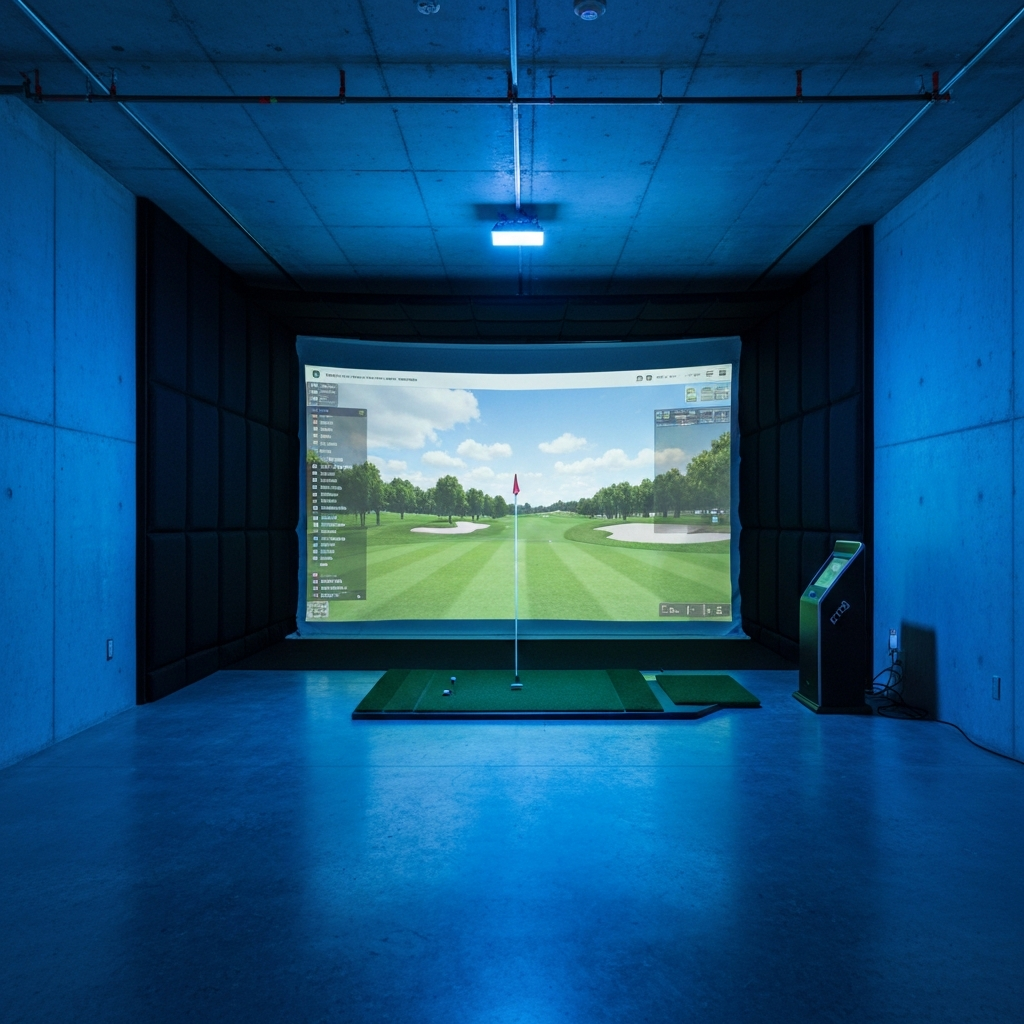
Alright, let's talk projectors. Specifically, how you get that image from the little box up onto your screen without catching a shank to the lens or having your own shadow ruin your backswing. Because let me tell ya, picking the right projector is only half the battle; mounting it properly is where most guys (myself included, initially) screw it up.
When I first slapped my simulator together in the garage, I just figured "projector projects, right?" Wrong. I ended up with a massive shadow every time I took a practice swing, or the image was warped, or I had to stand practically on top of the ball to avoid blocking the beam. It's a dance between throw ratio, offset, and your actual ceiling height. Get it wrong, and you'll be spending more time tweaking settings than actually hitting golf balls.
The Great Projector Mounting Balancing Act
Here's the deal: your projector needs to be mounted in a spot where it can fill your screen, avoid your shadow, and ideally, stay out of harm's way. This usually means a ceiling mount, but not always.
The two biggest numbers you need to worry about are Throw Ratio and Offset.
Throw Ratio: This is the distance from the lens to the screen, divided by the width of the image. So, a projector with a 0.5:1 throw ratio means that for every 0.5 feet it's away from the screen, it creates a 1-foot wide image. Most sim setups, especially in a garage, demand a short-throw projector. Why? Because you want that projector as close to the screen as possible to minimize shadows and keep it behind you. My garage is 10 feet wide, and my screen is 9 feet wide. With a short-throw projector (like the BenQ TH671ST I started with, which has a 0.69 throw ratio), I could mount it about 6 feet from the screen and still get a full image. If I'd tried to use a standard-throw projector (say, 1.5:1), I'd have needed it 13.5 feet away – which would put it right behind my hitting mat and into my backswing. No thanks.
Offset: This one's a little trickier and often overlooked. Offset tells you how much higher or lower the image is projected relative to the centerline of the lens. If a projector has a 100% offset, it means the bottom of the image will be perfectly in line with the center of the lens. Most projectors have a positive offset, meaning the image will be projected above the lens when the projector is upright. This is fantastic for tabletop use, but for a ceiling mount, you usually want it to project down. Most short-throw projectors designed for classrooms (which work great for sims) have a pretty significant offset. This means when you ceiling mount it, the projector lens needs to be positioned quite a bit lower than the top of your screen to get the image to line up properly.
My garage ceiling is 9 feet high. My screen is 8.5 feet tall. With my projector mounted about 12 inches below the ceiling, and factoring in the offset, the bottom of the projected image hits the screen right around the bottom edge, with the top of the image near the top. You'll need to play with an online throw ratio calculator for your specific projector and screen size. Don't skip this step!
Projector Recommendations for Your Sim
Forget the marketing hype about "gaming projectors" or "home theater projectors" unless they also hit these key specs. For a golf sim, you need:
- Short Throw Ratio: As close to 0.5:1 as possible, definitely under 1.0:1.
- High Lumens: Your garage isn't a dark movie theater. Sunlight, shop lights – they all kill your image. Aim for 3000+ lumens, and honestly, 3500+ is better.
- 1080p Resolution: While 4K sounds great, unless you're running a massive screen and sitting right up against it, 1080p is perfectly sufficient for golf sims and saves you a ton of cash. The ball flight graphics just don't demand 4K.
Here are a few solid choices that a lot of us use:
| Projector Model | Resolution | Lumens | Throw Ratio (min) | Price (Approx.) | Notes |
|---|---|---|---|---|---|
| BenQ TH671ST | 1080p | 3000 | 0.69:1 | $700-800 | Great entry-level, solid workhorse. My first sim projector. |
| Optoma GT1090HDR | 1080p | 4200 | 0.5:1 | $1000-1100 | Brighter, shorter throw, good for ambient light. |
| Optoma GT2100HDR | 1080p | 4500 | 0.5:1 | $1200-1300 | Even brighter than the 1090HDR, excellent for bright rooms. |
| BenQ TK700STi | 4K UHD | 3000 | 0.9:1 | $1300-1500 | If 4K is a must AND you can manage the throw distance. |
Prices are estimates and can fluctuate.
I started with the BenQ TH671ST. It was a fantastic intro projector. But my garage has a window and I like to leave the door open sometimes. The 3000 lumens were just okay in brighter conditions. I eventually upgraded to an Optoma GT series (the 1090HDR wasn't out yet, but similar specs to what I got) for the extra brightness, and it made a huge difference on those sunny afternoons.
Mounting Your Projector: Ceiling vs. Floor/Side
1. Ceiling Mount (Most Common): * Pros: Out of the way, no trip hazard, generally safer from mishits (if caged). * Cons: Installation can be a pain, requires careful calculation of throw distance and offset, potential for golfer shadows. * My Setup: My projector is ceiling-mounted about 6 feet from the screen and about 1 foot from the centerline of my hitting mat (offset to the side). This puts it slightly behind and to the side of my swing, minimizing shadows. It's mounted on a standard universal ceiling projector mount (like this one: VIVO Universal Projector Mount - runs about $30-40). * Safety: Crucial! Even with it mounted slightly off-center, I've seen enough videos of bad shanks to know that a direct hit is possible. I built a simple cage out of PVC pipe and netting to protect it. You can buy pre-made projector cages too, like the ones from Projector-Gear (expect to pay $100-300+ depending on size). Don't skip this, a replacement projector will cost you way more.
2. Floor or Side Mount: * Pros: Easier to install, completely eliminates golfer shadows, no need to factor in ceiling height/offset. * Cons: Trip hazard, takes up floor space, highly susceptible to being hit by a ball or club. * Consideration: Some guys use a "projector box" on the floor, an enclosure that protects the projector and has a mirror inside to reflect the image up onto the screen. This is a clever way to deal with offset and shadows, but it's an extra piece of gear on the floor. I personally don't like anything on the floor that can be tripped over or get in the way of my swing.
Wiring and Setup: Don't Forget the Details
- HDMI Cable: If your projector is more than 15-20 feet from your PC, you'll want an active optical HDMI cable. Trust me. A regular copper HDMI cable will start dropping signal over longer distances, especially for 4K. These active cables cost a bit more ($50-100 for a 30-footer) but are worth every penny for reliability.
- Power: You'll need a power outlet near your projector. If not, a heavy-duty extension cord is your friend.
- Cable Management: Zip ties, cable raceways – make it clean. You don't want cables dangling where you can trip or where they look messy. My power and HDMI run along the ceiling joists, hidden away.
- Keystone Correction: Your projector will have "keystone correction" (digital adjustment to make the image rectangular if it's hitting the screen at an angle). Avoid using it if at all possible. Digital keystone correction reduces image quality and introduces lag. Spend the time to physically align your projector for a perfect rectangular image.
## Who Should NOT Buy This
- Someone with a small screen (under 7 feet wide) and a massive room: If you're building a tiny sim and have 20 feet of throw distance available, you could get away with a cheaper standard-throw projector. But even then, short-throw is generally more flexible.
- Someone on a shoestring budget who expects 4K glory: Don't chase 4K unless you're ready to spend $1300+ on the projector alone, plus potentially more on an active optical HDMI cable. 1080p is the sweet spot for value and performance in a sim.
- Someone who thinks 2000 lumens is "bright enough": Unless your sim bay is a completely sealed, light-controlled black box, 2000 lumens will look washed out. You'll regret it on bright days. Always go for more lumens if your budget allows.
- Someone who plans to floor mount without a protective enclosure: This is a recipe for disaster. One bad snap hook, one misjudged chip, and your expensive projector is toast. Protect your investment.
- Someone who refuses to use a throw ratio calculator: Seriously, this is like building a house without a blueprint. You will end up with a projector that doesn't fit your space or creates shadows. Take the 10 minutes to use an online calculator.
Real-World Costs & Dimensions
My garage sim setup:
- Garage Dimensions: 10 feet wide, 9 feet high, 20 feet deep.
- Impact Screen: 9 feet wide, 8.5 feet tall.
- Hitting Mat: About 8 feet from the screen.
- Projector Mount Location: Ceiling, 6 feet from the screen, 10 inches from the right wall (looking at the screen). This puts it behind and to the right of my hitting position.
- Ceiling Height for Projector: The bottom of my projector lens is about 7.5 feet off the ground, leaving plenty of clearance for my swing and projecting the image perfectly.
- Projector (Current): Optoma GT1090HDR (approx. $1100)
- Universal Ceiling Mount: VIVO, $35
- DIY Projector Cage: PVC and netting, $50 in materials.
- Active Optical HDMI Cable (30ft): $70
- Power Extension Cord: $20
Total Estimated Projector-Related Costs: $1275 - $1500 (depending on chosen projector and cage solution).
And while we're talking costs, don't forget the ongoing subscription fees for your sim software. My GSPro subscription runs me $250 a year. It's not directly projector-related, but it's part of the overall "can I afford this" math.
Getting your projector mounted correctly is one of those foundational steps that, when done right, makes the whole simulator experience seamless and enjoyable. Don't rush it, do your research, and protect your gear. Your golf game (and your wallet) will thank you.