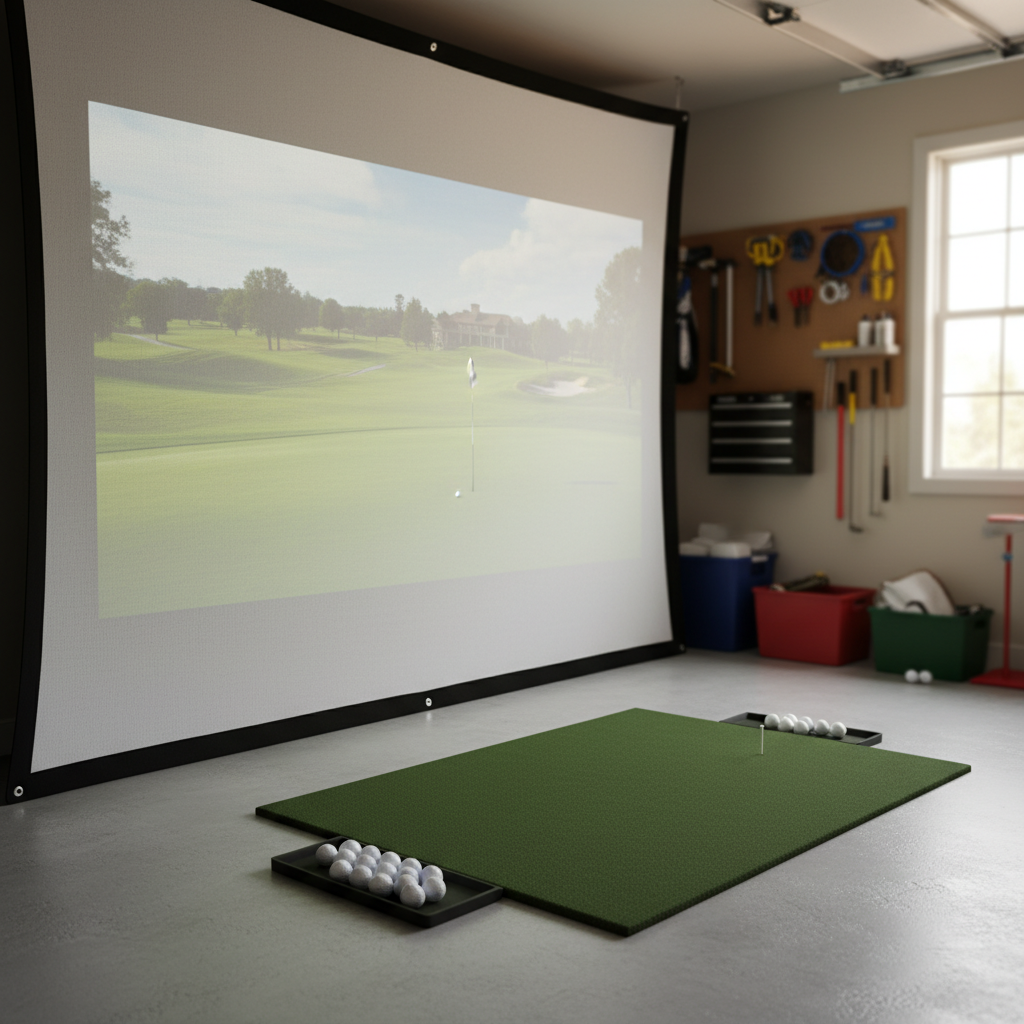
Alright, so you’ve decided to build a golf simulator bay. Good on ya. Let me tell you, it’s one of the best things I’ve ever done for my game and my sanity. But before you go dropping serious coin on a fancy launch monitor or the latest projector, we need to talk about the absolute foundation of your setup: the impact screen.
This isn't just a big white sheet. It's the canvas for your virtual golf course, the punching bag for your mis-hits, and the barrier between a perfectly good wall and a Titleist ProV1 traveling at 100+ MPH. Get this wrong, and you'll be frustrated, out of pocket, and potentially needing drywall repair. Ask me how I know. (Spoiler: I know.)
When I first built my garage sim, I tried to cheap out on the screen. Big mistake. Huge. It lasted maybe three months before developing a lovely tear right where my driver usually makes contact. Not exactly immersive when you're looking at your garage wall through a hole in the fairway. So, learn from my stupidity. The impact screen is not the place to cut corners.
Here’s the deal: you need a screen that can take a beating, show a clear image, and ideally, not sound like a gunshot every time you hit it.
Impact Screen Material Comparison: My Take
There are a few main types of screen materials out you’ll find, generally varying by durability and image quality. I've tried a couple, talked to enough sim nerds to fill a PGA Tour field, and this is my honest breakdown.
| Feature | Entry-Level (e.g., Carl's SuperTex) | Mid-Range (e.g., Carl's Preferred, Raw DIY Material) | Premium (e.g., Carl's Premium, SIGPRO Premier Grey) |
|---|---|---|---|
| Durability | Decent, but will wear faster | Good, solid performer | Excellent, built to last |
| Image Quality | Fair, can be a bit dull | Good, bright and clear | Superb, high contrast, sharp image |
| Noise | Moderate to Loud | Moderate | Quieter, better absorption |
| Bounce Back | Moderate | Low to Moderate, depends on tension | Very Low, great absorption |
| Price (10'x8' avg) | $250 - $400 | $400 - $700 | $700 - $1200+ |
| My Take | Good for tight budgets, temporary | Best bang for your buck, where I'd start | If image quality and longevity are top priorities |
What Makes a Good Impact Screen?
Beyond the material type, there are a few key factors that separate a good screen from a headache-inducing one.
Durability: This Ain't a Bed Sheet
As I mentioned, my first screen was a glorified bed sheet. Don't be like Mack. A quality impact screen needs to be made from a tightly woven, multi-layered material. Think of it like a boxing bag – it needs to absorb impact, not just resist it. The best screens are often a blend of polyester, nylon, or sometimes even vinyl, designed to stretch and absorb energy.
- My Mistake: I bought a single-layer, thin canvas screen because it was "cheap." It looked okay for about a month, then started fraying. Within three months, a driver tear. The ball just punched straight through. Learn from my stupidity: don't cheap out here. You'll spend more replacing it than if you just bought a decent one to begin with.
Image Quality: Seeing is Believing
You're going to be staring at this screen for hours, trying to thread the needle on a par 5. You want a clear, bright, vibrant image. This comes down to the material's reflectivity and how well it handles ambient light.
- Brightness Uniformity: You want the image to look consistent across the entire screen, not brighter in the middle and duller on the edges.
- Contrast: Especially if your sim space isn't perfectly dark, a screen with good contrast will make a huge difference. This is where the "grey" screens, like the SIGPRO Premier Grey, really shine. They absorb ambient light better, making the blacks look blacker and the colors pop more. I'm a big fan of the grey screen for this reason, even if it feels counter-intuitive for projection.
Noise: Don't Wake the Neighbors
Hitting a golf ball into a tightly tensioned screen can be loud. Imagine a loud "thwack" every time you hit a drive. If your sim is in a shared space or you have family sleeping nearby, this is a real consideration. Thicker, multi-layered screens tend to absorb more of that sound, making it a duller thud rather than a sharp crack.
Bounce Back: Safety First
This is crucial. You do not want a golf ball rocketing back at you at high speed. A good impact screen will absorb the energy of the ball, causing it to drop fairly dead at the base of the screen. Poor quality or improperly tensioned screens can turn your golf balls into dangerous projectiles. Make sure you have enough space between the screen and any hard wall behind it, too (at least 12-18 inches is a good rule of thumb, but more is better).
My Top Picks & Real-World Pricing
Based on my experience, and talking to countless other sim builders, here are the screens I'd recommend, depending on your budget and priorities.
1. Carl's Place Preferred or Premium Screen
- What it is: Carl's Place is probably the most well-known name in DIY and semi-DIY golf simulator screens. They offer various grades, and their "Preferred" and "Premium" screens are fantastic options.
- Carl's Preferred: This is my go-to recommendation for most people. It strikes an excellent balance between durability, image quality, and price. It's a heavy-duty, multi-layered material that can take a beating and provides a bright, clear image.
- Price: A 10' x 8' screen with finished edges and grommets will typically run you between $450 - $600.
- Carl's Premium: If you want slightly better image quality and even more durability, the Premium is worth the upgrade. It's a bit thicker, offers a slightly crisper image, and is designed for maximum longevity.
- Price: A 10' x 8' screen with finished edges and grommets is usually in the $600 - $900 range.
- Why I like them: They are proven, widely used, and Carl's has great customer service. I personally went with a Carl's Preferred for my current setup after my "bed sheet" disaster, and it's been rock solid for two years now.
2. SIGPRO Premier Grey Impact Screen
- What it is: The SIGPRO Premier Grey screen is a top-tier option, especially if you prioritize image quality and contrast in a room that might not be perfectly dark. The grey material really helps colors pop and blacks look deeper, reducing the washed-out effect you can sometimes get with white screens.
- Price: This is a premium product, so expect to pay premium prices. A 10' x 8' SIGPRO Premier Grey screen can cost anywhere from $800 - $1200+, depending on the vendor and specific finishing options.
- Why I like it: If you're building a high-end bay and want the absolute best visual experience, this is it. The contrast is noticeably better, and it holds up extremely well. It's also known for excellent sound dampening and minimal bounce-back. If I were rebuilding today with a bigger budget, this would be my choice.
3. The Net Return Pro Series V2 (as an all-in-one solution)
- What it is: While not just a screen, The Net Return Pro Series V2 is an enclosure that comes with its own high-quality screen. It's designed for easy setup and teardown, making it great for multi-purpose spaces or if you want a cleaner look.
- Price: The full Net Return Pro Series V2 enclosure with screen usually runs around $1600 - $2000.
- Why I like it: If you're short on space or want a super clean, professional look without going full custom build, The Net Return is fantastic. The screen material is excellent – durable, good image, and minimal bounce back. It's an all-in-one solution that takes a lot of guesswork out of the equation. Plus, the ball returns to your feet, which is a nice touch.
Installation & Real-World Specifics
How you hang your screen is almost as important as the screen itself. Proper tensioning is key for both safety and image quality.
- Framing: Most DIY builders (like me) use a frame made from EMT conduit (electrical metallic tubing) or rigid steel pipe. You can get 10-foot sections of EMT for around $10-$15 each at any home improvement store. Connectors are cheap too. This creates a sturdy, square frame to hang your screen from. My frame is 10.5 ft wide x 8.5 ft tall to accommodate my 10x8 screen with a little overlap.
- Tensioning: Your screen will likely come with grommets along the edges. You'll use ball bungees to attach the screen to your frame. The trick here is to pull it taut, but not drum-tight. You want a little give, like a trampoline, to absorb impact. If it's too tight, it increases bounce-back and wear. If it's too loose, you'll get wrinkles and a poor image.
- Wire & Carabiners (for budget builds): To the folks asking about stringing it up on steel wire with carabiners – yes, you absolutely can do this for a budget setup. Just make sure the wire is strong enough (thick gauge aircraft cable) and anchored securely. You'll still want to use bungees between the screen grommets and the wire to allow for some give. The downside here is it's harder to get consistent tension, and you might get more sag and wrinkles, especially over time. It's a good temporary solution, but a proper frame is superior for longevity and performance.
- Ceiling Height: My garage ceiling is 10 feet. I wouldn't recommend anything less than 9 feet for comfortable full swings, and 10+ feet is ideal. Your screen height will be limited by this.
- Room Depth: This is crucial. You need space for:
- Ball to Screen: At least 10 feet, ideally 12-15 feet. This reduces bounce-back energy and gives your launch monitor